[hvidal@fedora] ~/d/h/h/m/d/scan❯ nmap -p- --open -vvv --min-rate 5000 -n 10.129.195.107 -oG scanDiscovered open port 443/tcp on 10.129.195.107Discovered open port 80/tcp on 10.129.195.107Discovered open port 22/tcp on 10.129.195.107
Ports 22, 80, 443 are open.
[hvidal@fedora] ~/d/h/h/m/d/scan❯ nmap -p 22,80,443 -sCV 10.129.195.107 -oN portscan.txt -PnPORT STATE SERVICE VERSION22/tcp open ssh OpenSSH 8.9p1 Ubuntu (Ubuntu Linux; protocol 2.0)80/tcp open http nginx 1.18.0 (Ubuntu)|_http-title: Did not follow redirect to https://airsnacks.htb/443/tcp open ssl/http nginx 1.18.0 (Ubuntu)|_http-title: Welcome \xC2\xB7 AirSnacks Self-Checkout| ssl-cert: Subject: commonName=airsnacks.htb
The web apps are redirecting to airsnacks.htb so add the domain to /etc/hosts
[hvidal@fedora] ~/d/h/h/m/f/scan❯ echo "10.129.195.107 airsnacks.htb" | sudo tee -a /etc/hosts
Web application
The HTTP service redirects all requests to HTTPS, so further enumeration will focus on the HTTPS application.
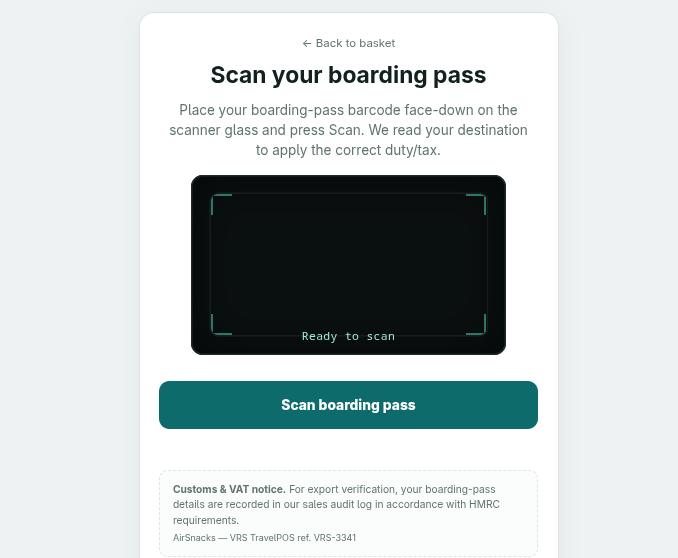
The HTTPS application hosts an online shop featuring a boarding pass barcode scanner.
However, the barcode scanner does not appear to have access to a camera. To understand how it communicates with the backend, I intercepted its HTTP request using Burp Suite.
POST /checkout/boarding-pass/verify HTTP/1.1Host: airsnacks.htbCookie: session=...Content-Length: 12{"raw":""}
The scanner was sending an empty barcode to the server, which responds with the following error:
{ "detail":"expected 'M' at offset 0", "error":"BCBP_ERR_FORMAT_CODE",}
BCBP stands for Bar Coded Boarding Pass, a standard defined by the International Air Transport Association (IATA).
BCBP format analysis
The structure of a valid BCBP is:
Offset
Len
Field
0
1
Format code
1
1
Legs
2
20
Name LAST/FIRST
22
1
Electronic ticket (E)
23
7
PNR code
30
3
Origin
33
3
Destination
36
3
Operating carrier
39
5
Flight number
44
3
Flight date
47
1
Compartment
48
4
Seat number
52
5
Check-in sequence
57
1
passenger status
58
2
Size of conditional section (hex)
After constructing a 60-character BCBP string and setting the conditional section size to 00, the server returned BCBP_ERR_CONDITIONAL_REQUIRED for item 6, indicating that additional conditional data was required.
I then set the conditional section size to FF and used the subsequent error messages to infer the expected structure.
Through this process, I was able to reconstruct the following structure for the conditional section:
item10: one of 0B, 18, 25, 32.
Document type: B or blank character.
Seven blank characters.
Operating carrier followed by a space.
item17: one of 03, 0D, 0E, 0F, 12, 15, 25, 26, 29, 2A theese are the spaces up to the beginning of the free zone.
Remaining characters: free zone
My final code was:
M1GRIFFIN/PETER E123456 ABCDEFBA 0117 325Y024A0101 0FF>50BB BA 03
Using that code in a request, the server returns a new session cookie and a JWT.
I couldn’t find what was using the JWT, but the session cookie allowed the access to the payment button, although it does not provide any useful functionality.
Exploitation
Initial foothold
I suspected that the server might validate the boarding pass against a database, so I tested the passenger name field for SQL injection.
POST /checkout/boarding-pass/verify HTTP/1.1Host: airsnacks.htbCookie: session=...Content-Length: 91{"raw":"M1G'IFFIN/PETER E123456 ABCDEFBA 0117 325Y024A0101 0FF>50BB BA 03"}
The server returned an internal error containing a PostgreSQL syntax error, revealing that the backend uses a PostgreSQL database.
{ "detail":"syntax error at or near \"IFFIN\"\nLINE 1: ...1b35546d', 'dutyfree-kiosk7', now(), '123456', 'G'IFFIN/PETE...\n ^\n", "error":"DCS_ERR_INTERNAL"}
However, the passenger name field is subject to strict format validation, making it difficult to inject SQL syntax. I therefore tried injecting the payload into the free zone instead.
POST /checkout/boarding-pass/verify HTTP/1.1Host: airsnacks.htbCookie: session=...Content-Length: 91{"raw":"M1GRIFFIN/PETER E123456 ABCDEFBA 0117 325Y024A0101 0FF>50BB BA 03 '"}
This payload triggered a different PostgreSQL error:
{ "detail":"unterminated quoted string at or near \"''')\"\nLINE 1: .../PETER', 'BA', '0117', '325', 'ABC', 'DEF', '', '', 81, ''')\n ^\n", "error":"DCS_ERR_INTERNAL"}
The error message reveals part of the SQL statement, suggesting that the query follows a structure similar to:
Since the input is concatenated directly into the SQL statement without proper sanitization or parameterization, the SQL string can be escaped using the following payload:
While enumerating running processes, I discovered that the user dutyfree-kiosk has an active X11 session managed by xinit, with Firefox running in kiosk mode on display :0.
Then I checked if I could connect to the X server:
postgres@dutyfree-kiosk7:/home$ DISPLAY=:0 xset qKeyboard Control: auto repeat: on key click percent: 0 LED mask: 00000000Screen Saver: prefer blanking: yes allow exposures: yes timeout: 600 cycle: 600
Since the command didn’t return an error the current user can connect to the X server, so I checked the Openbox keybindings.
postgres@dutyfree-kiosk7:/home$ cat /etc/xdg/openbox/rc.xml | grep term
  <keybind key="C-A-t"><action name="Execute"><command>xterm</command></action></keybind>
The key combination Ctrl + Alt + t launches a xterm terminal.
X11 provides an extension called XTEST, which allows X11 clients to simulate keyboard and mouse input events.
By using this extension, we can interact with the active graphical session. Since the session belongs to dutyfree-kiosk, we can simulate keyboard input to open a terminal and execute commands as that user.
I will use a Python script to connect to the X server and simulate keyboard input.
The script:
Connects to the X11 display.
Simulates the shortcut Ctrl + Alt + t to open a terminal.
This service is triggered by vrs-duty-apply.path, a systemd path unit that monitors /opt/vrs/data/duty-rates.csv and starts the service whenever the file is modified.
The script processes the CSV file line by line, using commas as field delimiters. Each row follows this format:
tax_class(str),duty_pct(int),vat_pct(int)
It validates that the fields exists and duty_pct and vat_pct are numbers, and then executes eval "${tax_class}=${duty_pct}".
eval executes the arguments as bash.
The vulnerability lies in the use of eval with the untrusted tax_class value. Since this field is not properly validated, an attacker can inject arbitrary shell commands into the expression passed to eval, potentially achieving command execution with the privileges of the process running the script.
Relevant code snippets
RATES="/opt/vrs/data/duty-rates.csv" # CSV file to processlineno=0# Read the CSV line by linewhile IFS=, read -r tax_class duty_pct vat_pct; do (( ++lineno )) # duty_pct and vat_pct have to be numbers if ! [[ "$duty_pct" =~ ^[0-9]+$ && "$vat_pct" =~ ^[0-9]+$ ]]; then exit 1 eval "${tax_class}=${duty_pct}" # tax_class is not validated...
Exploitation
The objective is to modify the CSV file by inserting a payload into the first column which allows us to execute commands as root.
The following payload copies /bin/bash to /tmp and sets the SUID bit on the resulting binary: